 Todoo
TodooGet it out of your head.
Add a note and start typing. Colour your tasks so the important things are easy to spot.
Small notes. Clearer days.
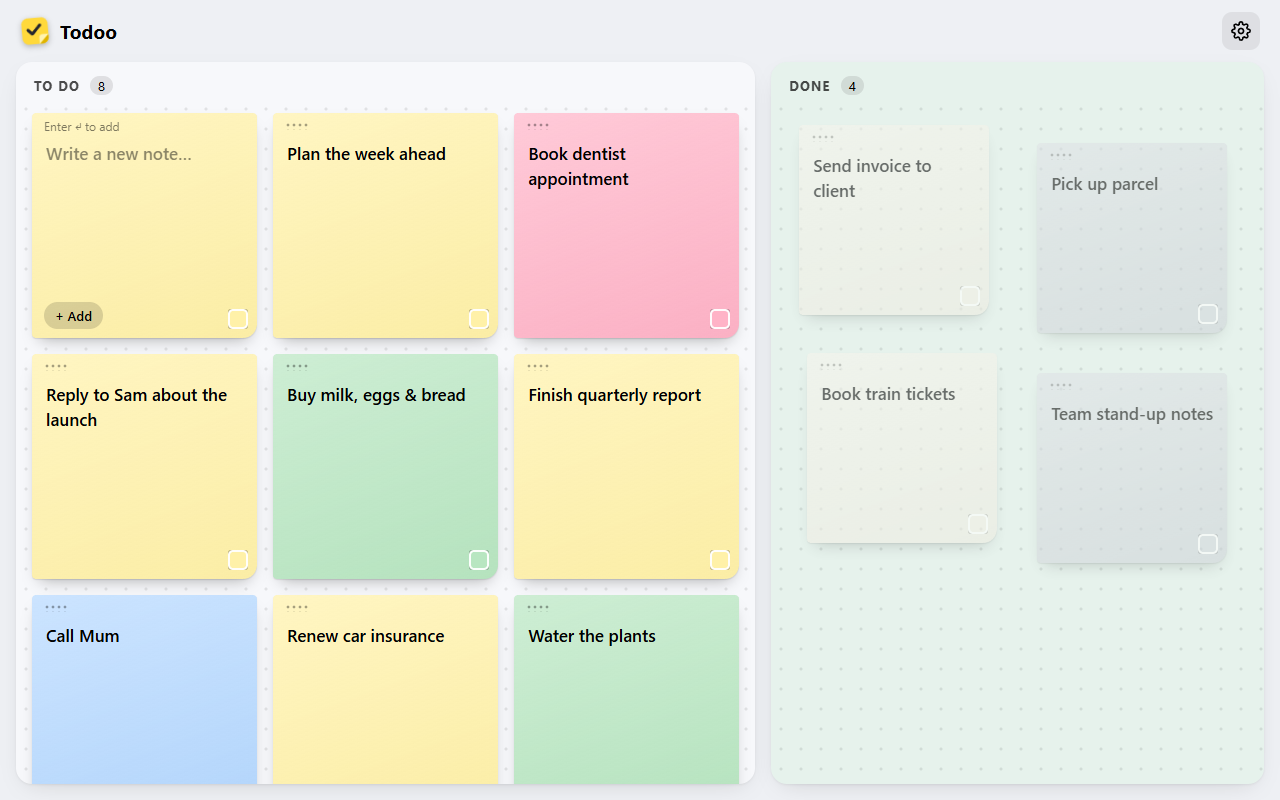
Get the things in your head onto a board. Todoo turns everyday tasks into colourful sticky notes you can move, customise, and tick off.
Open in your browser. No account needed.
Less admin. More doing.
A shopping list, a bright idea, that thing you keep meaning to do. Give it a note, find its place, and enjoy moving it to Done.
Add a note and start typing. Colour your tasks so the important things are easy to spot.
Drag notes to reorder your To do board. Keep your next steps where you can see them.
Move finished tasks to the Done board. See the progress you’ve made, one small win at a time.
A board with personality
Choose a theme to suit your mood, then fine-tune your notes, fonts, and board layout. Keep it calm or turn up the colour.
Find your favourite look →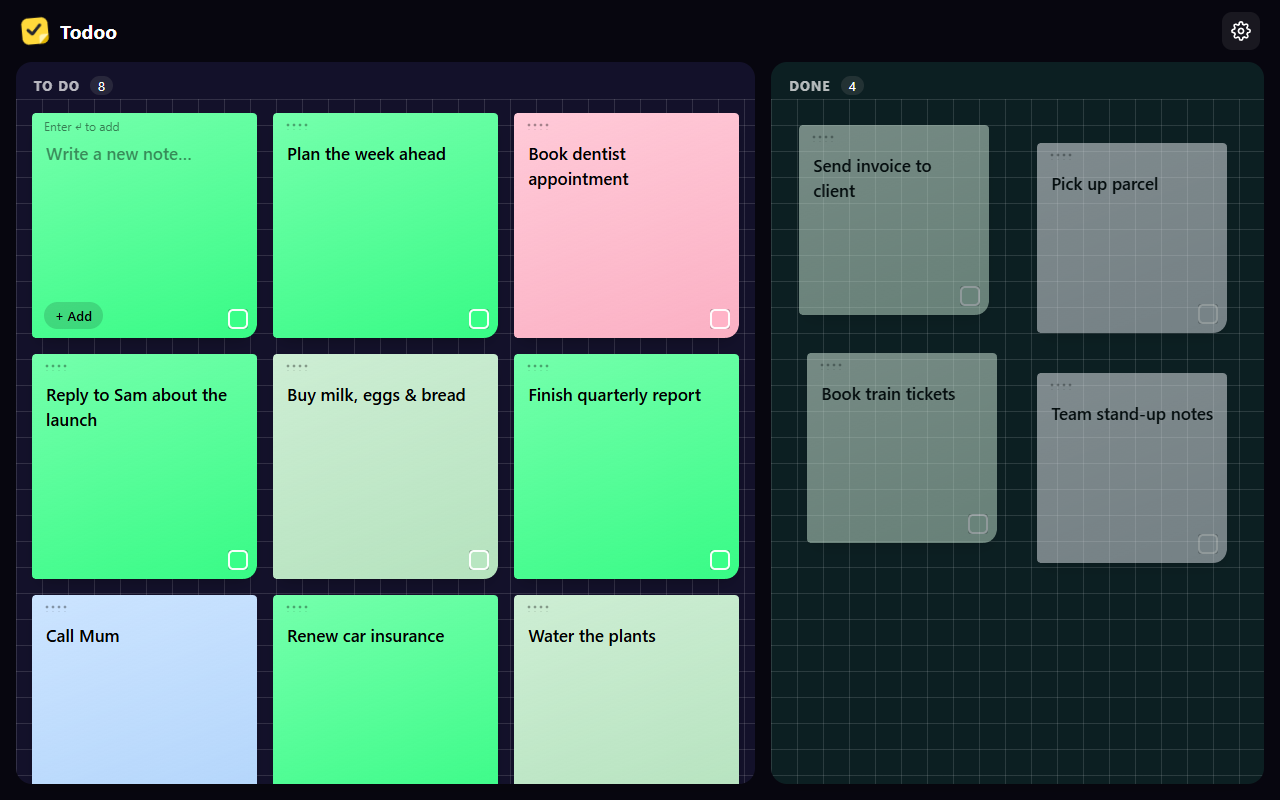
The little details
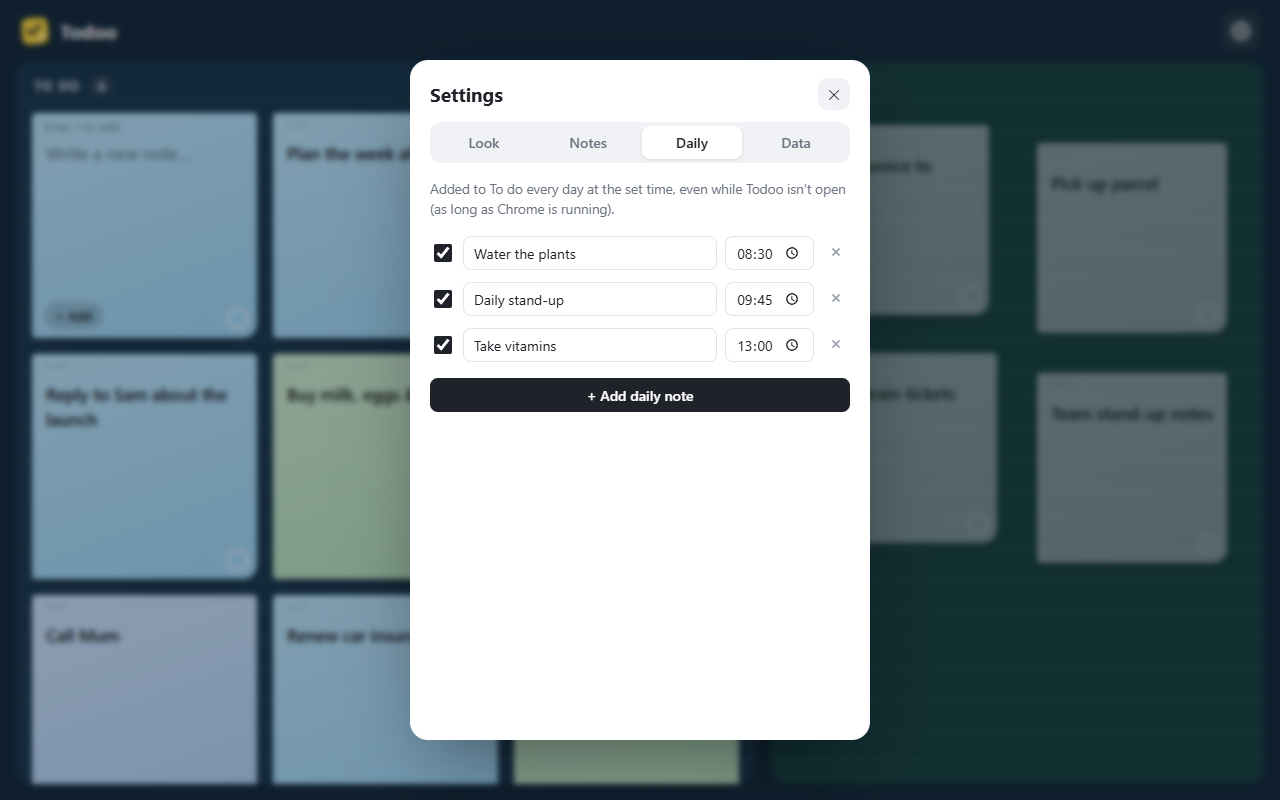
Set up daily notes for recurring tasks. They’re added at your chosen time while the app is open, or when you next open Todoo.
Your board is saved locally in this browser. Export a backup to keep a copy or import it into another browser. No sign-up, no cloud account.
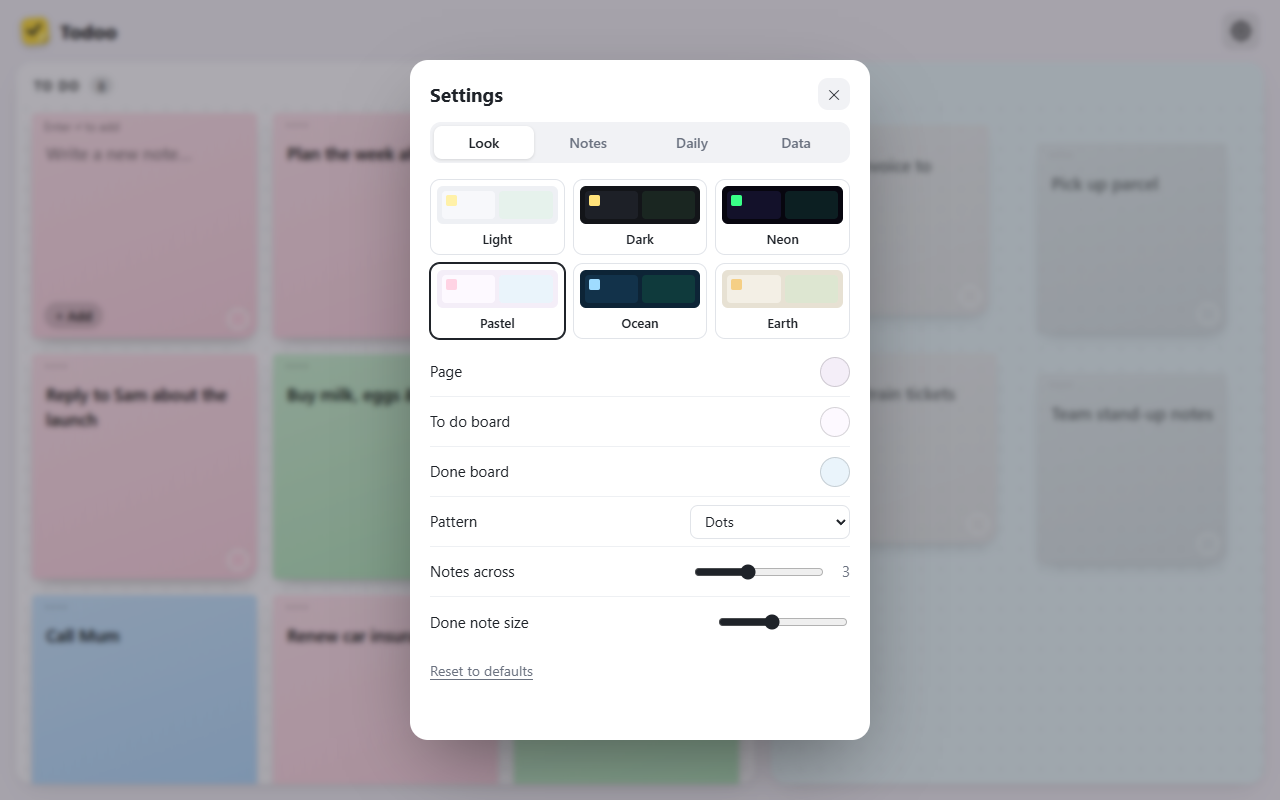
Make room for a clearer day
A fresh board. A few notes. You’ve got this.